Please save your presentation in PowerPoint 2013 or later (*ppt) or (*.pptx) so that we can guarantee the successful opening of your presentation on our computers.
We recommend saving the presentation in PPT or PPTX format. Please also prepare it in 16:9 format (the screens in the lecture rooms are this ratio).
JPG is the most commonly used format for "embedding" images into a presentation.
GIF, TIF or BMP formats are also acceptable.
A resolution of up to 250 dpi is sufficient for quality image display during presentation. Higher resolution images only increase the file size and do not improve the resolution of the dots on the screen. Please compress the saved images in the presentation at the recommended resolution.
If you have a video saved in your presentation, please arrive plenty of time in advance so that it can be tested. The recommended video format is MP4.
Fonts
Only fonts that are part of the basic installation of MS Windows (Czech version of Windows) will be available. Using other fonts may cause your presentation style to be displayed incorrectly.
Recommended fonts: Arial, Times New Roman, Tahoma, Calibri
If you insist on using special fonts, you must save them with your presentation. Click on "tools," then "options," then "save," check the "Insert True Type fonts" box, and then save the presentation.
Transferring presentations and saving
How to bring your presentation
Please bring your files and on one of the following media.
USB flash disk
External HDD or SSD
Save all files associated with the presentation in one folder (PowerPoint, movie/video files, etc.).
Always make a backup of your presentation on a second medium, external drive, or cloud backup – Google Drive or email.
Where to submit your presentation at the conference
Please arrive early before your session or during breaks to see the technician who will upload the presentations. The technician will be present throughout the conference.
The space for presentations will be in the Aida Hall. The handover point will be marked accordingly.
During your presentation, you will be able to control your presentation by remote control, which will be shown to you by the technician present during the break.
Using your laptop is not recommended but is always possible only after an agreement and subsequent test with a technician.
On-site technical support
A technical specialist will be present throughout the conference at the following times:
Thursday, May 21, 2026
7:30–18:30
Friday, May 22, 2026
7:30–19:00
AV Equipment in the hall
The hall will be equipped with the following equipment as standard:
data projector
screen (16:9 ratio)
presentation notebook
preview monitor
sound system
microphones
timer (countdown)
presenter (remote control)
•
How to prepare your e-POSTER presentation:
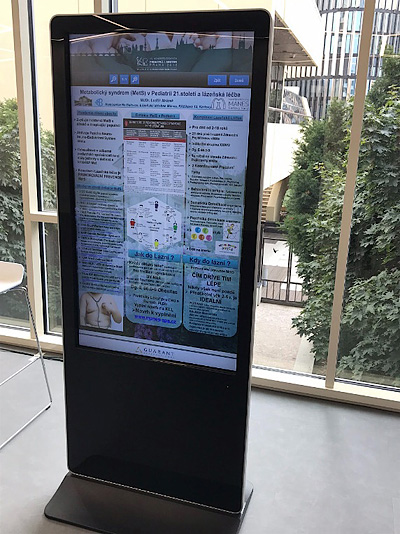
Please prepare your e-poster in these dimensions as a portrait – 67 × 96 cm (width × height, in portrait orientation). If you're more comfortable with pixel resolution, use 1080 × 1550 px.
The e-poster must always be one page only.
Save the final e-poster as a PDF file (Standard format publishing online and printing).